
09 指标监控
1 简介
概念
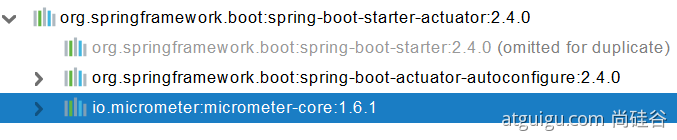
未来每一个微服务在云上部署以后,我们都需要对其进行监控、追踪、审计、控制等。SpringBoot就抽取了Actuator场景,使得我们每个微服务快速引用即可获得生产级别的应用监控、审计等功能。
引入
1 | <dependency> |
2 使用
简单使用
- 暴露指标
1 | management: |
- 访问界面
1 | http://localhost:8080/actuator/beans |
可视化
https://github.com/codecentric/spring-boot-admin
常用指标
| ID | 描述 |
|---|---|
| auditevents | 暴露当前应用程序的审核事件信息。需要一个AuditEventRepository组件。 |
| beans | 显示应用程序中所有Spring Bean的完整列表。 |
| caches | 暴露可用的缓存。 |
| conditions | 显示自动配置的所有条件信息,包括匹配或不匹配的原因。 |
| configprops | 显示所有@ConfigurationProperties。 |
| env | 暴露Spring的属性ConfigurableEnvironment |
| flyway | 显示已应用的所有Flyway数据库迁移。 |
| 需要一个或多个Flyway组件。 | |
| health | 显示应用程序运行状况信息。 |
| httptrace | 显示HTTP跟踪信息(默认情况下,最近100个HTTP请求-响应)。需要一个HttpTraceRepository组件。 |
| info | 显示应用程序信息。 |
| integrationgraph | 显示Spring integrationgraph 。需要依赖spring-integration-core。 |
| loggers | 显示和修改应用程序中日志的配置。 |
| liquibase | 显示已应用的所有Liquibase数据库迁移。需要一个或多个Liquibase组件。 |
| metrics | 显示当前应用程序的“指标”信息。 |
| mappings | 显示所有@RequestMapping路径列表。 |
| scheduledtasks | 显示应用程序中的计划任务。 |
| sessions | 允许从Spring Session支持的会话存储中检索和删除用户会话。需要使用Spring Session的基于Servlet的Web应用程序。 |
| shutdown | 使应用程序正常关闭。默认禁用。 |
| startup | 显示由ApplicationStartup收集的启动步骤数据。需要使用SpringApplication进行配置BufferingApplicationStartup。 |
| threaddump | 执行线程转储。 |
最常用的Endpoint
● Health:监控状况
● Metrics:运行时指标
● Loggers:日志记录
Health Endpoint
健康检查端点,我们一般用于在云平台,平台会定时的检查应用的健康状况,我们就需要Health Endpoint可以为平台返回当前应用的一系列组件健康状况的集合。
重要的几点:
● health endpoint返回的结果,应该是一系列健康检查后的一个汇总报告
● 很多的健康检查默认已经自动配置好了,比如:数据库、redis等
● 可以很容易的添加自定义的健康检查机制
Metrics Endpoint
提供详细的、层级的、空间指标信息,这些信息可以被pull(主动推送)或者push(被动获取)方式得到;
● 通过Metrics对接多种监控系统
● 简化核心Metrics开发
● 添加自定义Metrics或者扩展已有Metrics
管理Endpoints
1、开启与禁用Endpoints
● 默认所有的Endpoint除过shutdown都是开启的。
● 需要开启或者禁用某个Endpoint。配置模式为 management.endpoint.
1 | management: |
或者禁用所有的Endpoint然后手动开启指定的Endpoint
1 | management: |
支持的暴露方式
● HTTP:默认只暴露health和info Endpoint
● JMX:默认暴露所有Endpoint
● 除过health和info,剩下的Endpoint都应该进行保护访问。如果引入SpringSecurity,则会默认配置安全访问规则
3 自定义扩展
定制 Health 信息
1 | import org.springframework.boot.actuate.health.Health; |
配置文件
1 | management: |
1 |
|
定制info信息
编写配置文件
1 | info: |
编写InfoContributor
1 | import java.util.Collections; |
http://localhost:8080/actuator/info
定制Metrics信息
1、SpringBoot支持自动适配的Metrics
● JVM metrics, report utilization of:
○ Various memory and buffer pools
○ Statistics related to garbage collection
○ Threads utilization
○ Number of classes loaded/unloaded
● CPU metrics
● File descriptor metrics
● Kafka consumer and producer metrics
● Log4j2 metrics: record the number of events logged to Log4j2 at each level
● Logback metrics: record the number of events logged to Logback at each level
● Uptime metrics: report a gauge for uptime and a fixed gauge representing the application’s absolute start time
● Tomcat metrics (server.tomcat.mbeanregistry.enabled must be set to true for all Tomcat metrics to be registered)
● Spring Integration metrics
2、增加定制Metrics
1 | class MyService{ |
定制Endpoint
1 |
|
场景:开发ReadinessEndpoint来管理程序是否就绪,或者LivenessEndpoint来管理程序是否存活;
当然,这个也可以直接使用 https://docs.spring.io/spring-boot/docs/current/reference/html/production-ready-features.html#production-ready-kubernetes-probes




